
Reference values
Compute the measurements you expect from the firmware, kernel and initrd you deploy.
A TEE quote carries measurements of what booted. To check them, a policy needs the values you expect. You can paste those from a release’s published artifacts, or have Key Guardian compute them from the boot components you deploy. Reference values in the sidebar does the second:
- Files stores the boot components: firmware, kernels, initrds and kernel command lines.
- Hash bundles compute a measurement from those files and keep it under a name.
1. Upload the files
Select Files → Upload file, choose the file, its Type (Kernel, Initrd, Append or Firmware) and who can see it: only you, or everyone on this Key Guardian.
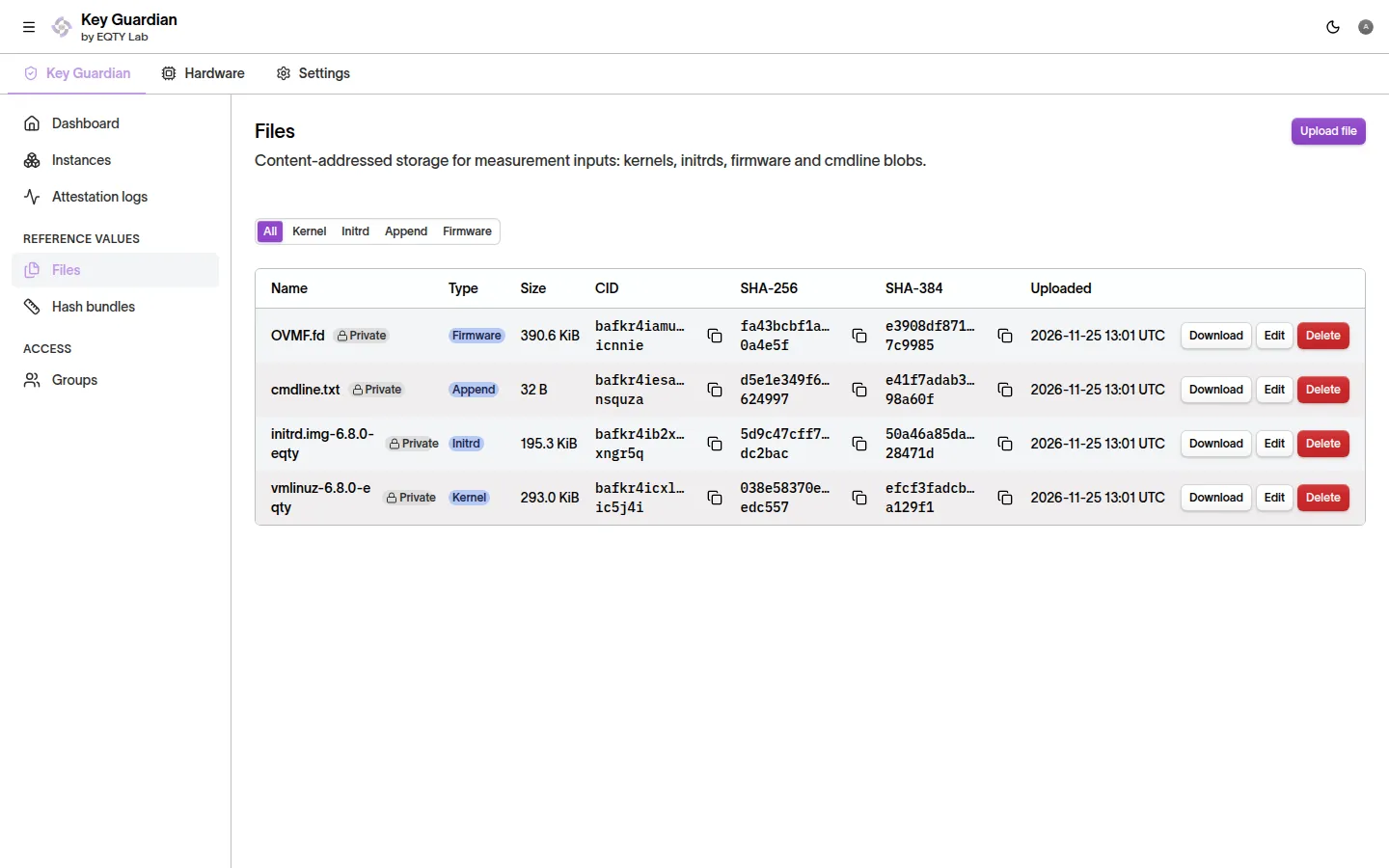
Files are stored by content, so uploading one twice keeps one copy. Each shows its CID, SHA-256 and SHA-384. Uploads are limited to 200 MiB by default.
2. Create a hash bundle
Select Hash bundles → New hash bundle, name it, and choose the Measurement type:
| Measurement type | Computed from |
|---|---|
| AMD-SEV | Firmware, kernel, initrd and command line, plus vCPU type and count. The SEV-SNP launch measurement. |
| Intel TDX — MRTD | Firmware (OVMF). |
| Intel TDX — RTMR0 | Firmware and the VM’s hardware profile (EQTY Intel, with or without GPU). |
| Intel TDX — RTMR1 | Kernel and initrd. |
| Intel TDX — RTMR2 | Kernel command line and initrd. |
| TPM (multi-PCR) | Values extended into PCRs 0 to 23, free-form or from a unified kernel image (PCR 11). |
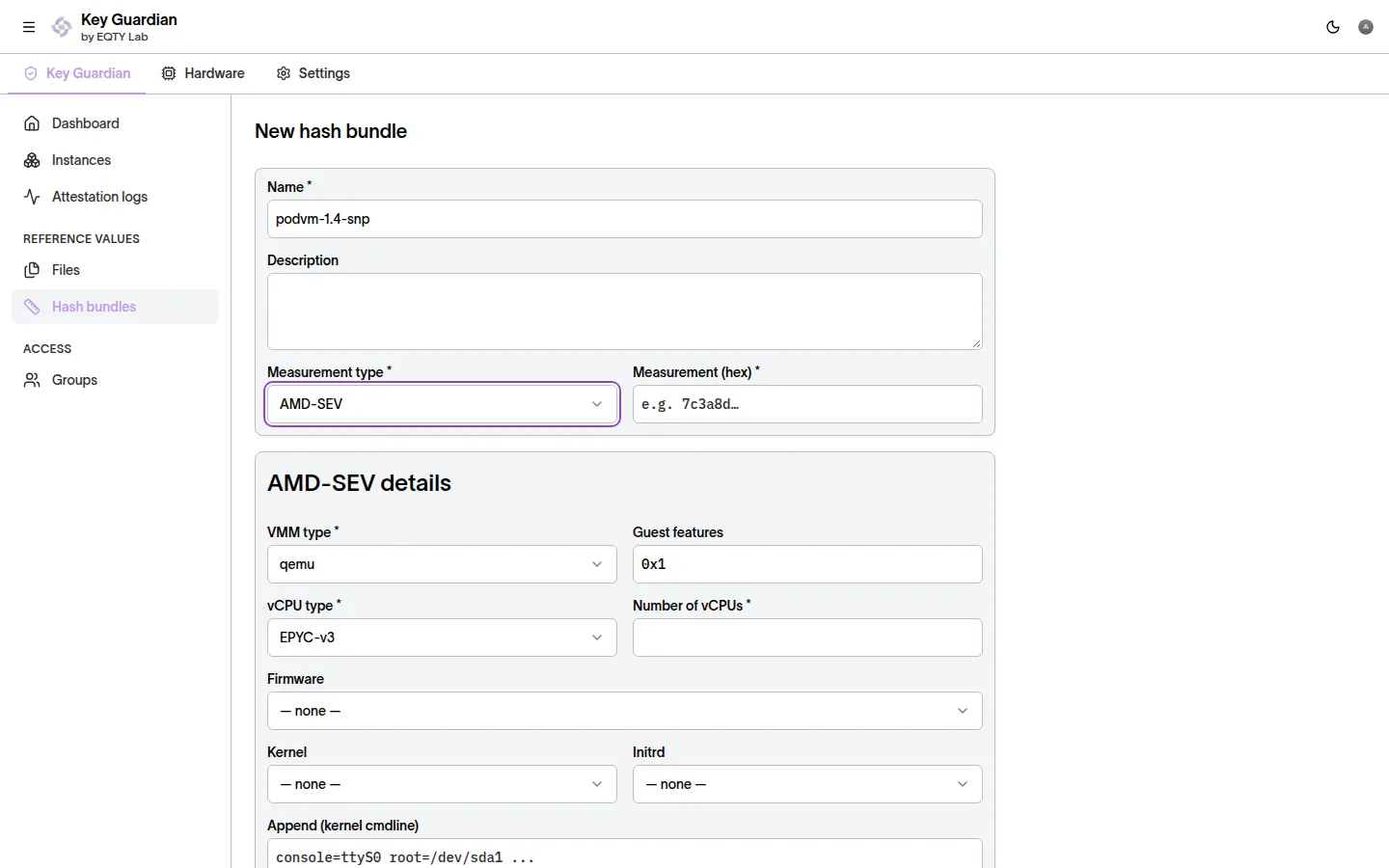
Pick the files, select Calculate measurement, and Key Guardian fills in Measurement (hex). If you already know the value, paste it. Select Create bundle. Hash bundles are private to you.
Policies copy a bundle’s value when you use it, so editing or deleting a bundle later doesn’t change them. Update the policy when you roll out a new image.