Users and access
Manage accounts and administrators, organize people into groups, and share instances.
Two kinds of access matter:
- Administrators run the deployment: key custody, Intel Trust Authority, users, hardware and factory reset.
- Instance access decides who can see and change an instance’s secrets and policies. It doesn’t decide which workloads get those secrets. Only the policies do.
Users
Administrators manage accounts under Settings → Users.
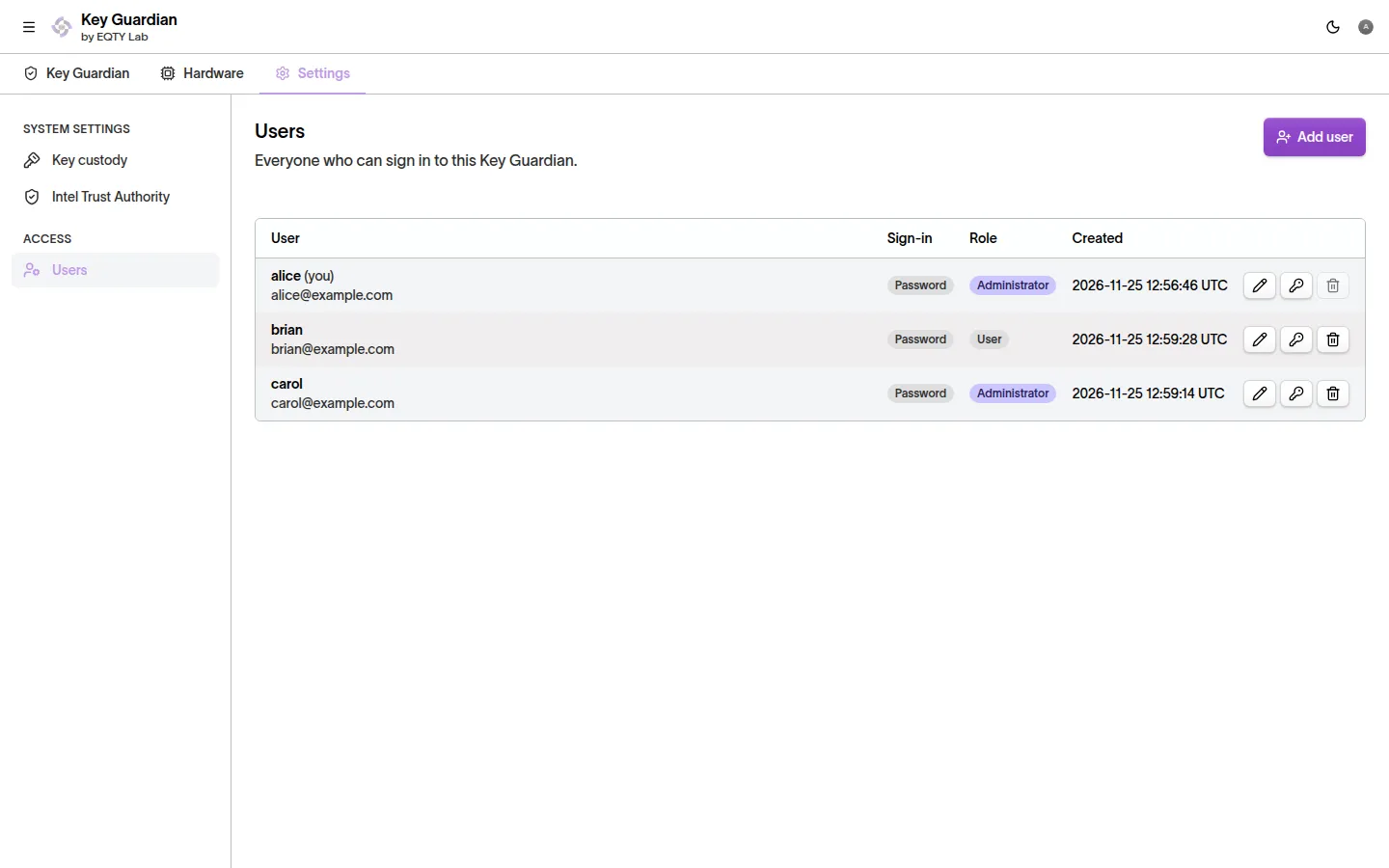
Add user creates an account (username of 4 to 20 characters, email, password), optionally as an administrator. From each row you can edit the account, set a new password or delete it. Deleting a user who owns instances, hash bundles or files asks who should get them.
You can’t delete yourself or remove your own administrator access, and the last administrator can’t
be removed. If ADMIN_USER_IDS is set, it alone decides who is an administrator.
People can register themselves unless Google sign-in is configured.
Roles on an instance
| Role | Can |
|---|---|
| Viewer | See the instance, its secret handles, policies and attestation logs. |
| Editor | Also add and delete secrets, and change and test policies. |
| Owner | Same as Editor. In a group, also manages its members. |
| Creator | Everything: delete the instance, change its sharing, see its API token. |
Someone with access through several paths, such as directly and through a group, gets their highest role.
Share an instance
The instance’s creator shares it on its Sharing tab.
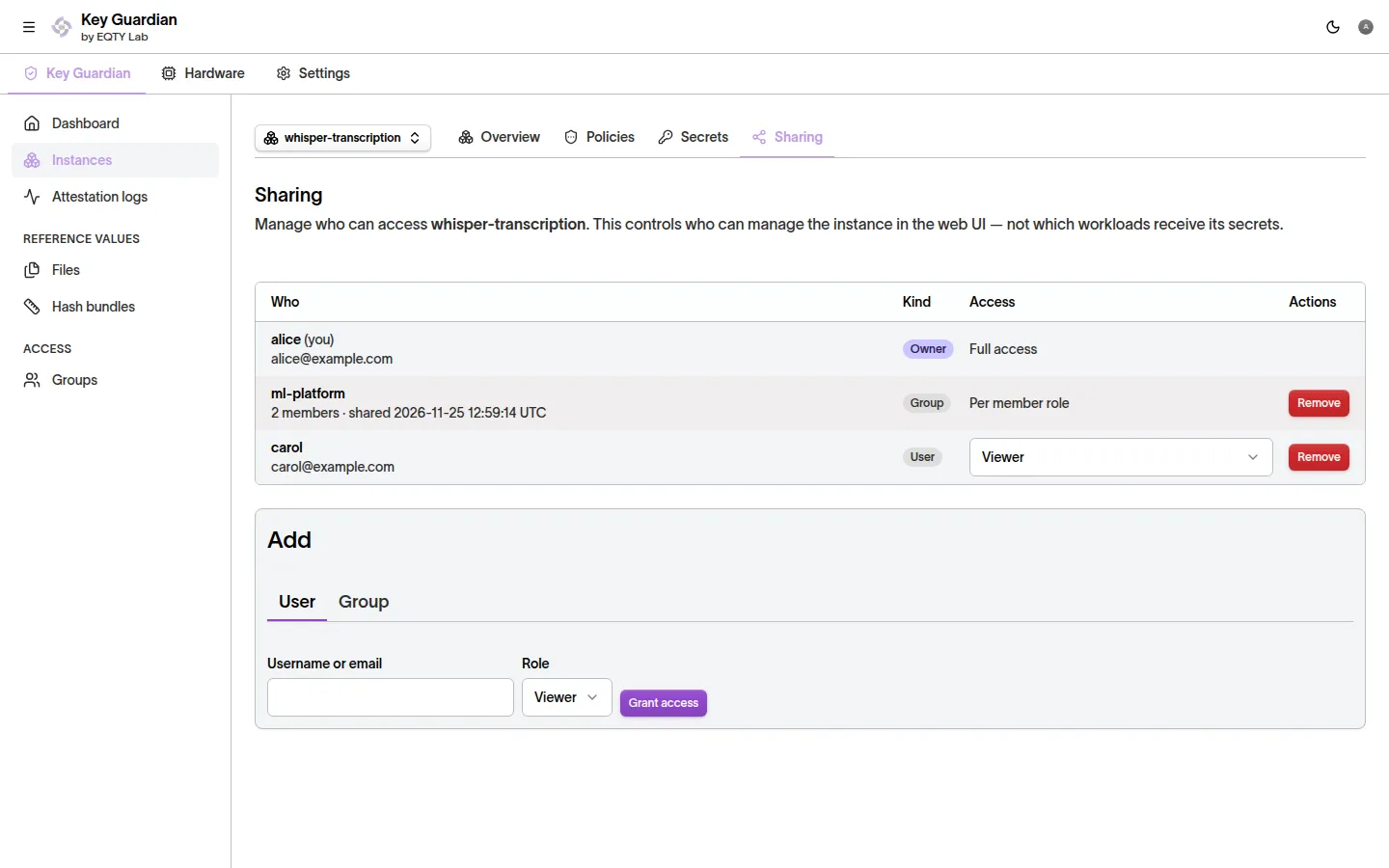
- User: enter a username or email, pick a role and select Grant access.
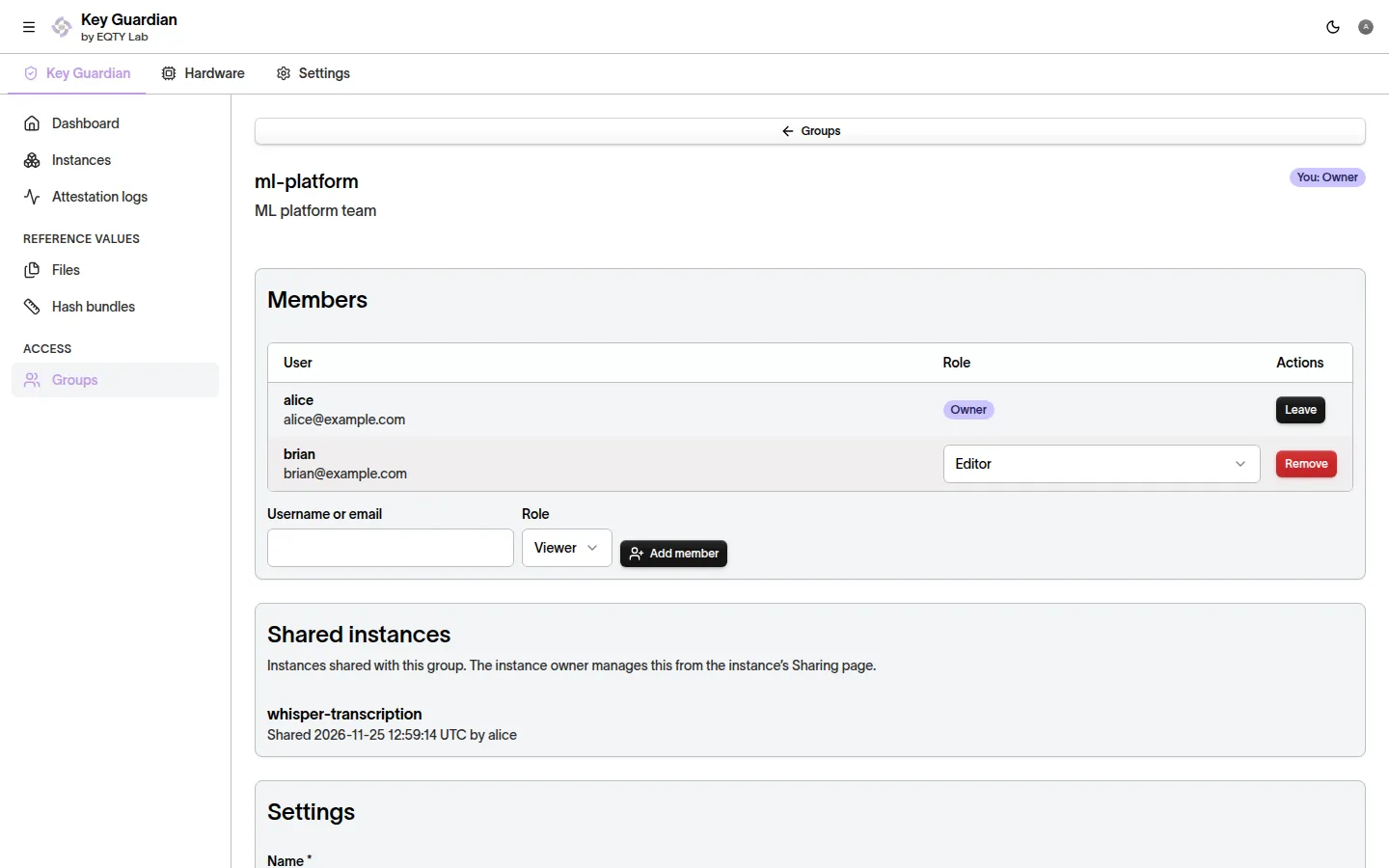
- Group: pick one of your groups. Each member gets their role in the group.
Groups
Groups in the sidebar lists your groups. Anyone can create one and becomes its owner. Owners add members by username or email with a role, and remove them. Shared instances lists what’s been shared with the group.