
Enroll a TPM
Trust your TPM vendors, create an enrollment key, and enroll a Linux or Windows host through the EQTY Notary.
Key Guardian issues a TPM an AK certificate once the TPM proves its endorsement key (EK) is genuine. The EQTY Notary on the host does the enrollment.
1. Trust your TPM vendors
Key Guardian certifies a TPM only when its EK certificate chains to a certificate you trust. It ships with none, so add your vendors’ roots and intermediates first.
Open Hardware → EK chains → Add certificates and paste PEM, or drop .pem, .crt, .cer or
.der files. Add the intermediates as well as the root: TPMs send only their EK certificate.
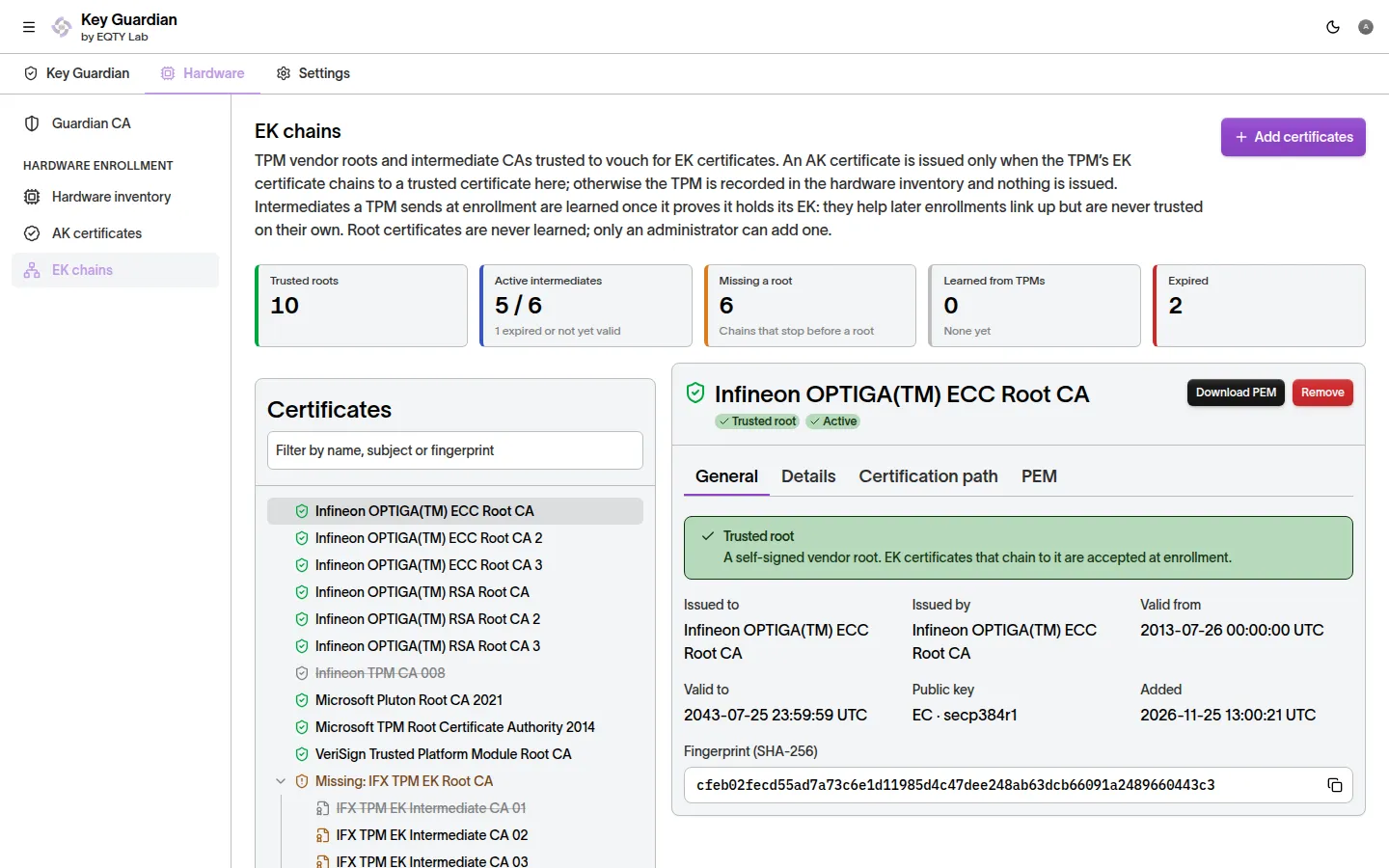
To find which certificates a TPM needs, read its EK certificate’s issuer:
sudo tpm2_nvread 0x01c00002 -o ek.der
openssl x509 -inform der -in ek.der -noout -issuer -ext authorityInfoAccess
Download the CA Issuers URL and repeat until the subject equals the issuer.
Some TPMs, such as Microsoft Pluton, send their own intermediates. Key Guardian keeps those as Learned from TPM, but never trusts them on their own: the chain must still reach a certificate you added.
2. Create an enrollment key
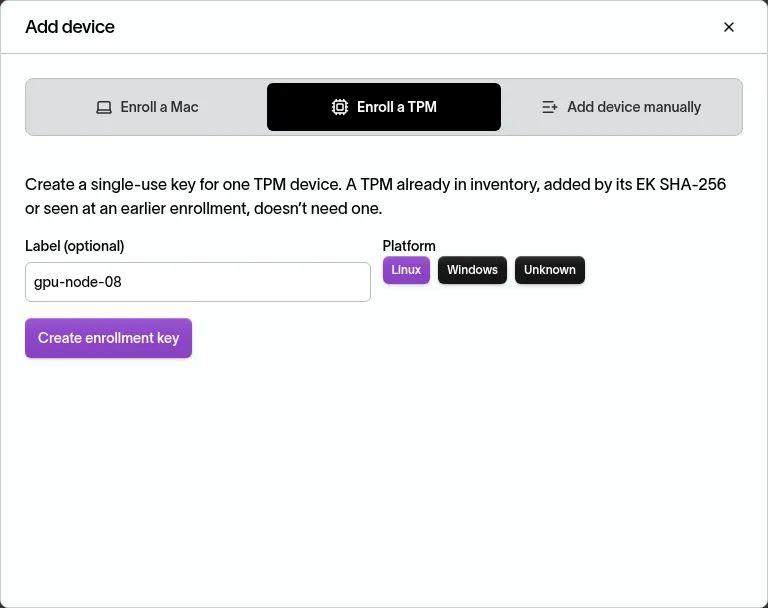
A TPM Key Guardian doesn’t know yet needs a single-use key. Open Add device → Enroll a TPM, optionally set a label and platform, and select Create enrollment key. It expires in 15 minutes.
3. Enroll from the host
The console shows the command with the key filled in. On Linux, as root:
sudo curl --fail-with-body --silent --show-error \
  -X POST http://100.100.100.200:8066/v1/enroll \
  -H 'content-type: application/json' -d '{"token":"<key>"}'
On Windows, in an elevated PowerShell:
Invoke-RestMethod -Method Post -Uri http://127.0.0.1:8066/v1/enroll `
  -ContentType 'application/json' -Body '{"token":"<key>"}'
The notary must point at your Key Guardian: set the Guardian URL in /etc/default/eqty-notary on
Linux, or in HKLM\SOFTWARE\EQTY\Notary on Windows. It proves the TPM holds its EK with a
credential-activation challenge, and receives its AK certificate. Refresh the inventory to see it.
A TPM already in the inventory enrolls again without a key, and enrolling again revokes its earlier AK certificates.
If it shows “Awaiting root”
The EK certificate doesn’t chain to a certificate you trust, or the TPM sent none. Nothing is issued. The inventory names the missing issuer: add it under EK chains, and the TPM gets its certificate at its next enrollment, with no new key.
Add a TPM without a key
Add device → Add device manually registers a TPM by the SHA-256 of its EK public key. The form shows how to read it on Linux and Windows.
AK certificates
Hardware → AK certificates lists what’s been issued. A certificate’s page offers the EK certificate, its root and the full chain. Fetch root from manufacturer follows the EK certificate’s issuer URLs to the root, but trusts nothing it fetches: compare the fingerprint with the vendor’s published value before you add it.