
Attestation logs
Find out why a workload was refused, with a signed record of every decision.
Every call to /api/attest is logged, passed or
failed. A refused workload hears only fail and a reference. The reason is here.
Open Attestation logs in the sidebar, and filter by instance and result:
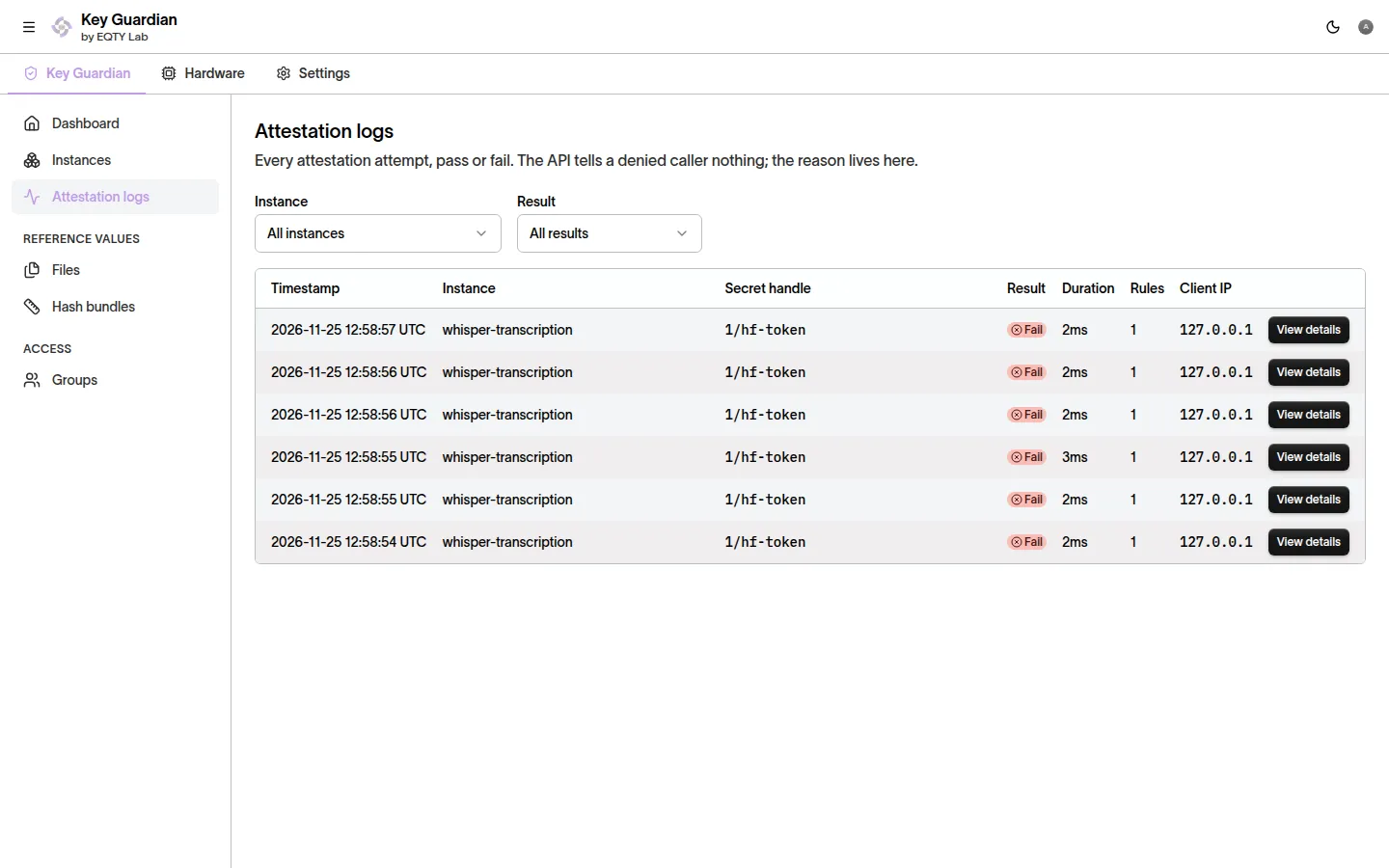
Each row shows when, which instance and secret, the result, how long it took and the client
address. Anyone who can view an instance can read its logs. To find a refusal your workload
reported, match its reference.
Read an entry
Select View details:
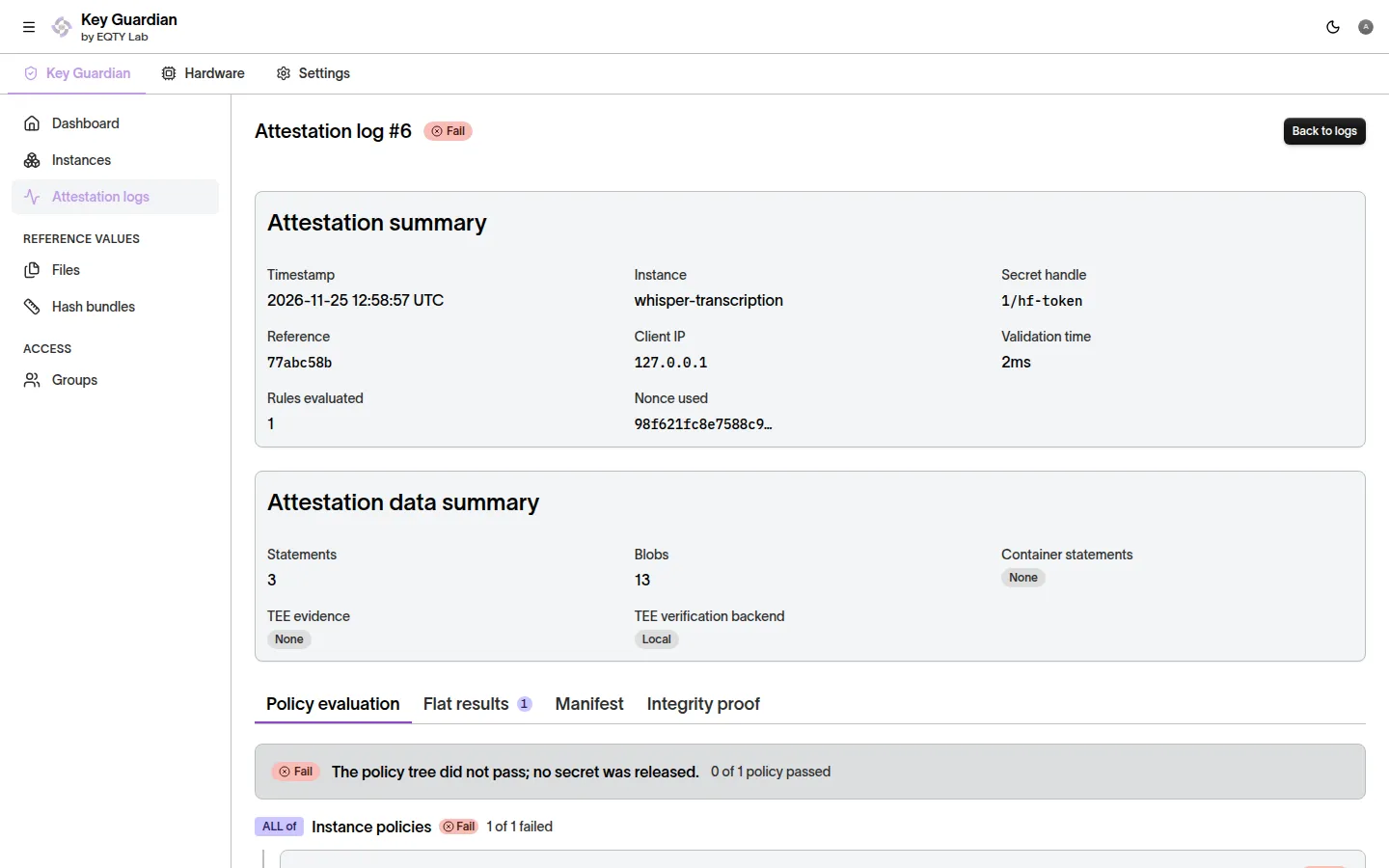
The summary shows when, which instance and handle, the reference, the client and the nonce, and what the manifest contained. Below it:
- Policy evaluation: each policy as it was evaluated, with what was expected and what the manifest held.
- Flat results: the same, as a list.
- Manifest: what the workload sent. Download saves it.
- Integrity proof: a signed EQTY manifest recording this decision, to show a third party which evidence led to a release.
If the nonce signature fails, no policy runs and the entry has one result, the signing identity gate, with the reason. See Troubleshooting for common refusals.