
Enroll a Mac
Give a Mac a hardware-bound client certificate through Apple device attestation, with a token or by preauthorizing it.
Macs enroll over ACME with Apple’s managed device attestation. The Mac creates a key in its Secure Enclave, Apple certifies the key and the Mac’s serial number, and Key Guardian checks Apple’s attestation before signing a client certificate. Certificates last 90 days by default.
Macs must reach Key Guardian over trusted HTTPS, at PUBLIC_URL (or KG_MAC_ACME_ORIGIN).
With a token
1. Create a token
Open Add device → Enroll a Mac and select Create enrollment token. It works for one Mac, for 15 minutes.
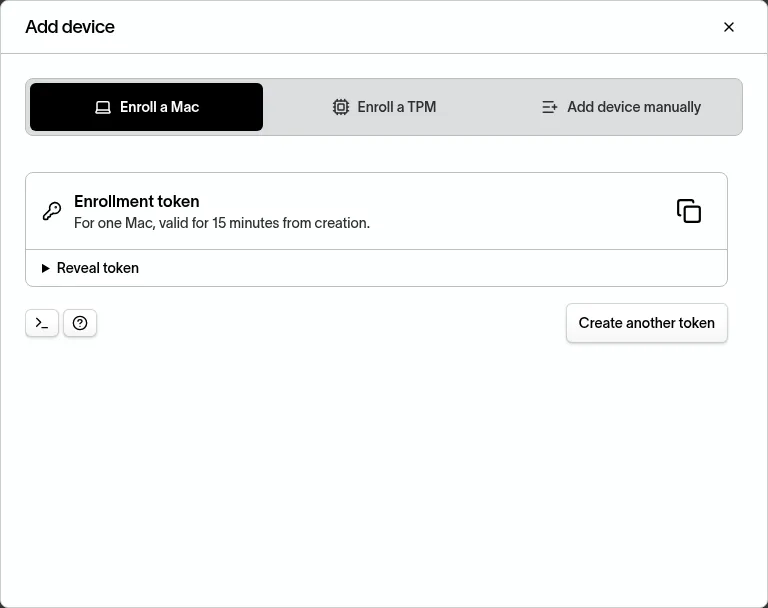
2. Run the command on the Mac
Select the Terminal icon next to the token, copy the command, and run it on the Mac, locally or over SSH. It reads the serial number, asks for the token without echoing it, and downloads a profile for that Mac.
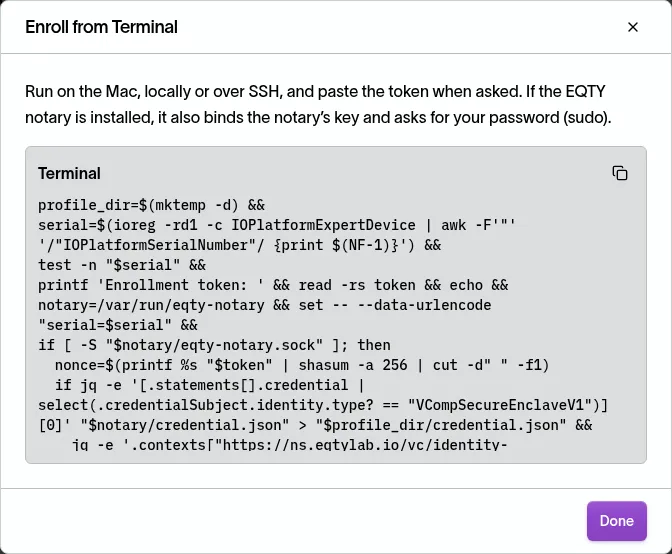
If the EQTY Notary is installed, the command also asks for your password (sudo) and binds the
notary’s key to the Mac, so the notary can renew without a token later.
3. Install the profile
Within an hour, on the Mac, open System Settings → General → Device Management, select Guardian Mac enrollment (hostname) under Downloaded, and select Install. Over SSH, use Screen Sharing for this step.
4. Check the inventory
Refresh Hardware inventory. The Mac appears under its serial number with its certificate. If Apple’s attestation fails, nothing is added.
Preauthorize a Mac
Add device → Add device manually, platform macOS, registers a Mac by serial number or UDID. Turn on Allow Mac certificate enrollment and save. Download the profile from the Mac’s row and install it; no token needed.
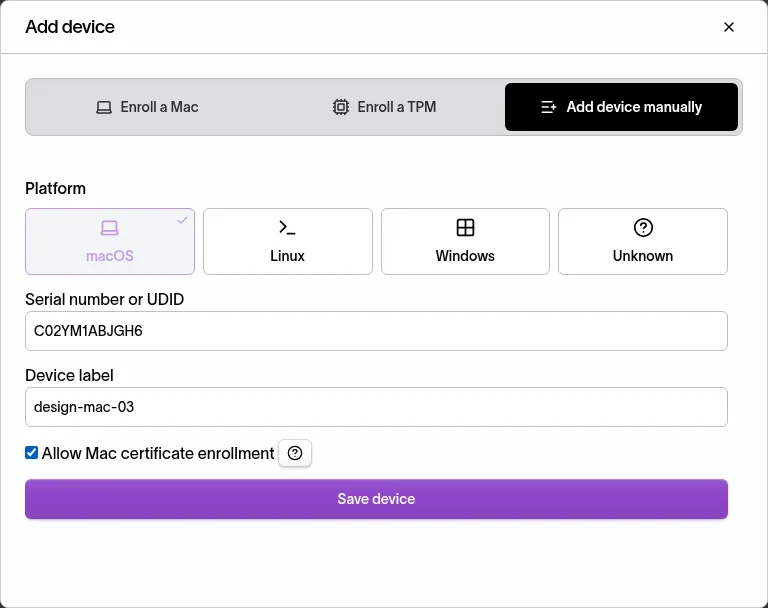
A preauthorized Mac’s notary can also bind its key without a token, as long as no other key is bound or waiting. Turning enrollment off stops new certificates, including orders in progress.
Renewal
With a bound notary key, the Mac’s row shows the notary’s DID, and each certificate shows what authorized it: a token, preauthorization or renewal. The notary renews the profile on its own before the certificate expires.
Renewal is refused, and the Mac needs a new token, if it was revoked, deleted or blocked, if its newest certificate has expired, or if its last Apple attestation is over a year old.
Key Guardian publishes a signed witness for each bound notary key at
/acme/mac/notary/<did>/witness, tying the notary’s key to the Mac’s Apple attestation.