
Instances and secrets
Create an instance for a workload and add the secrets it needs.
An instance holds one workload’s secrets and the policies that decide who gets them. Create one per workload, or per environment of a workload, whose secrets share the same release conditions.
1. Create an instance
Select Instances → Create instance, enter a name, and select Create instance.
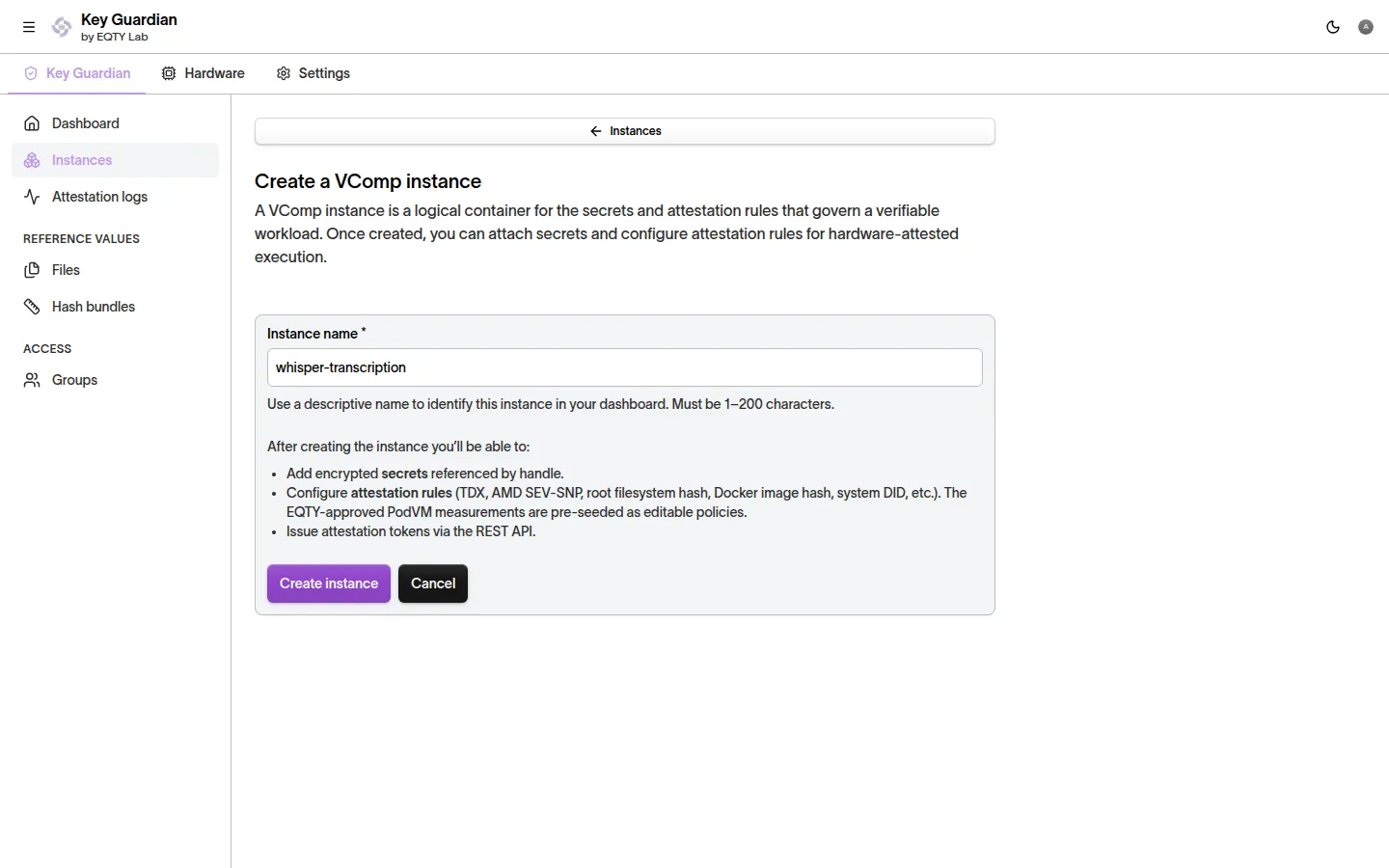
A new instance starts with one policy, Key Guardian: approved PodVM pod: it accepts a Confidential Containers pod running one of EQTY’s released PodVM images. Keep it for those workloads, or change it: see Policies.
The instance’s Overview shows its secrets, policies and recent activity:
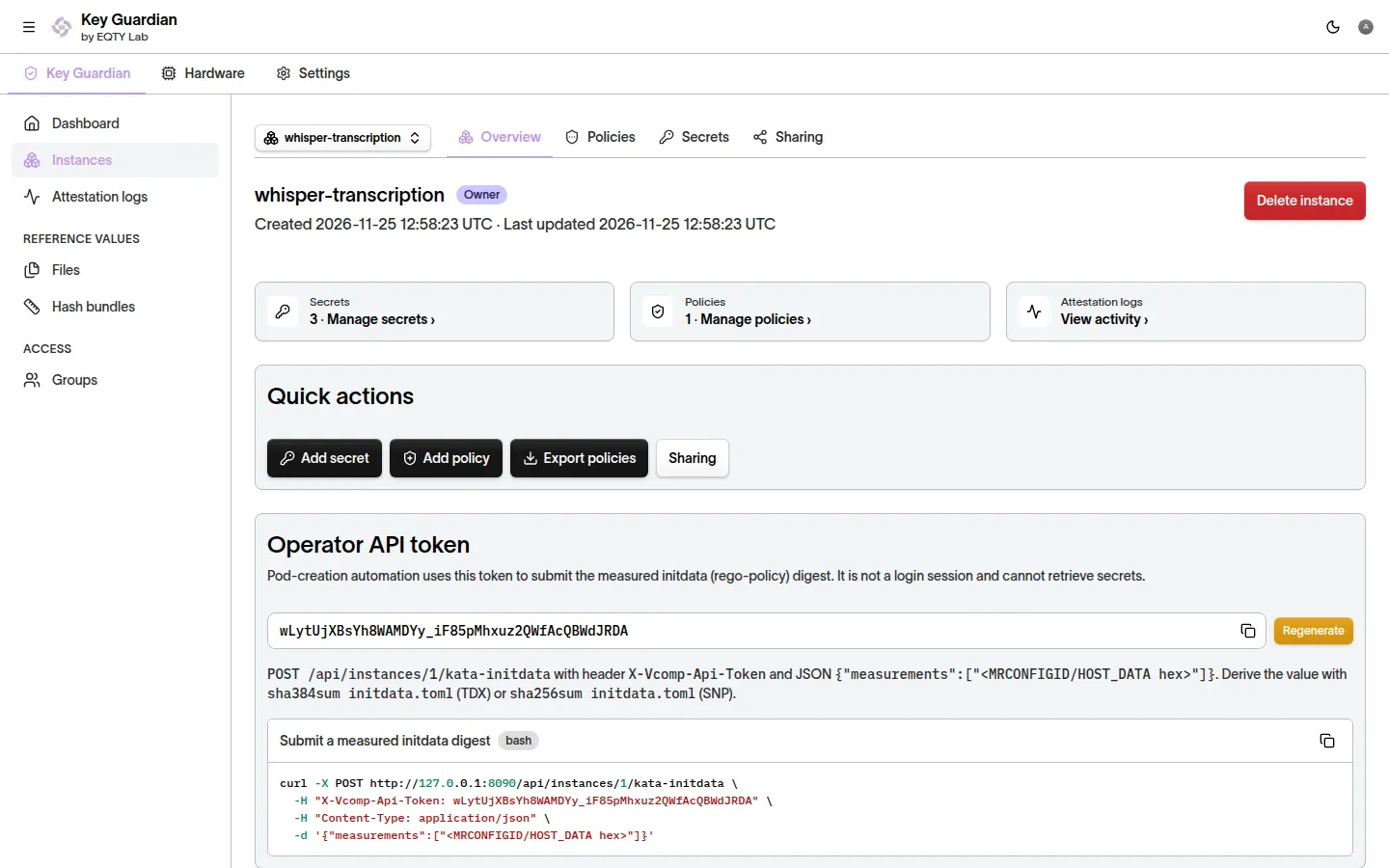
Switch instances with the picker at the top left. Delete instance deletes its secrets and policies. Its attestation logs are kept.
2. Add a secret
Open Secrets → Add secret, enter a Secret handle, choose a Secret type and fill in its fields.
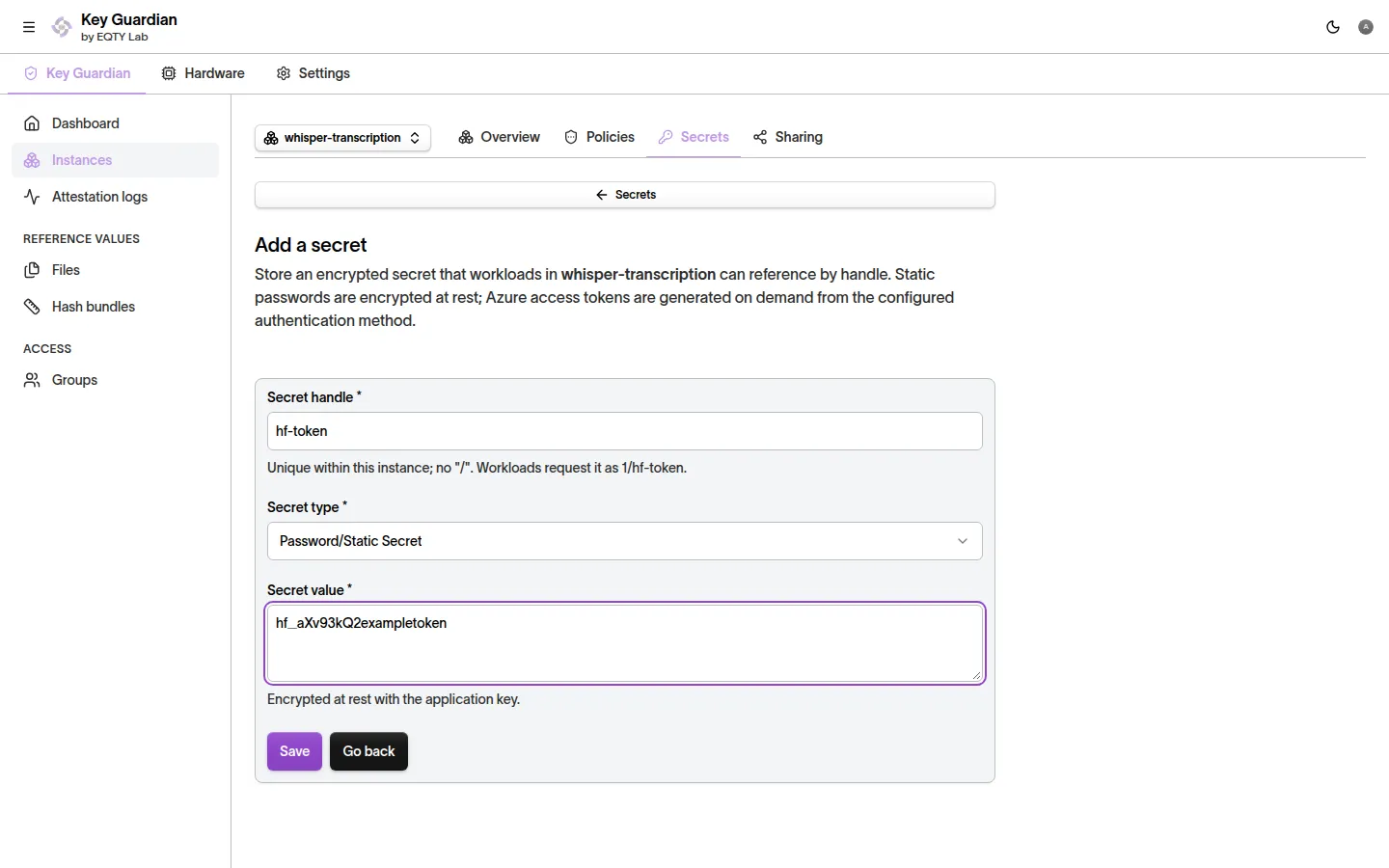
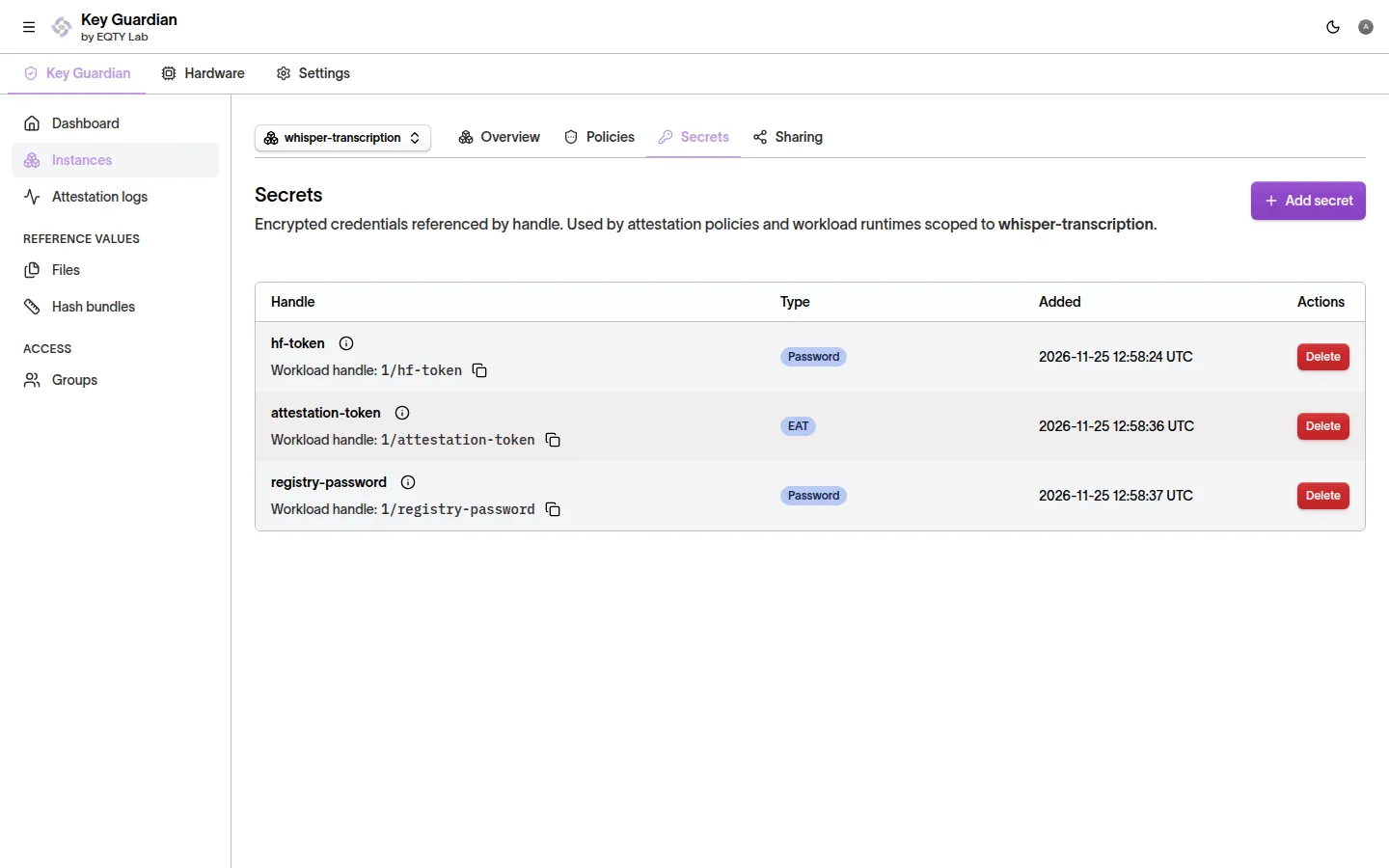
The handle is unique within the instance and can’t contain /. Workloads ask for
<instance id>/<handle>, the workload handle, shown with a copy button on the Secrets page:
Values are encrypted, and can’t be viewed or edited once saved, only deleted and added again.
Secret types
| Type | The workload receives |
|---|---|
| Password/Static Secret | The value you entered: an API key, a registry token, a decryption key. |
| Azure Access Token | A Microsoft Entra ID access token, fetched on demand. Never the app secret. |
| Attestation EAT / JWT | A token (RFC 9711) describing the workload’s TEE, optionally signed by the Guardian root key. |
| Passkey (WebAuthn) | A WebAuthn assertion, so the workload can sign in to a site with a passkey only Key Guardian holds. |
Azure Access Token. Enter the service principal’s tenant ID, app ID and app secret, the scopes
(such as https://storage.azure.com/.default) and how long to cache tokens, 1 to 168 hours.
Attestation EAT / JWT. Nothing to store: on a passing attestation, Key Guardian builds the token
from the manifest’s TDX or SEV-SNP report. Check Sign as JWT with Guardian key to get a JWT any
service can verify against /setup/jwks.json; unchecked, you get the claims as JSON.
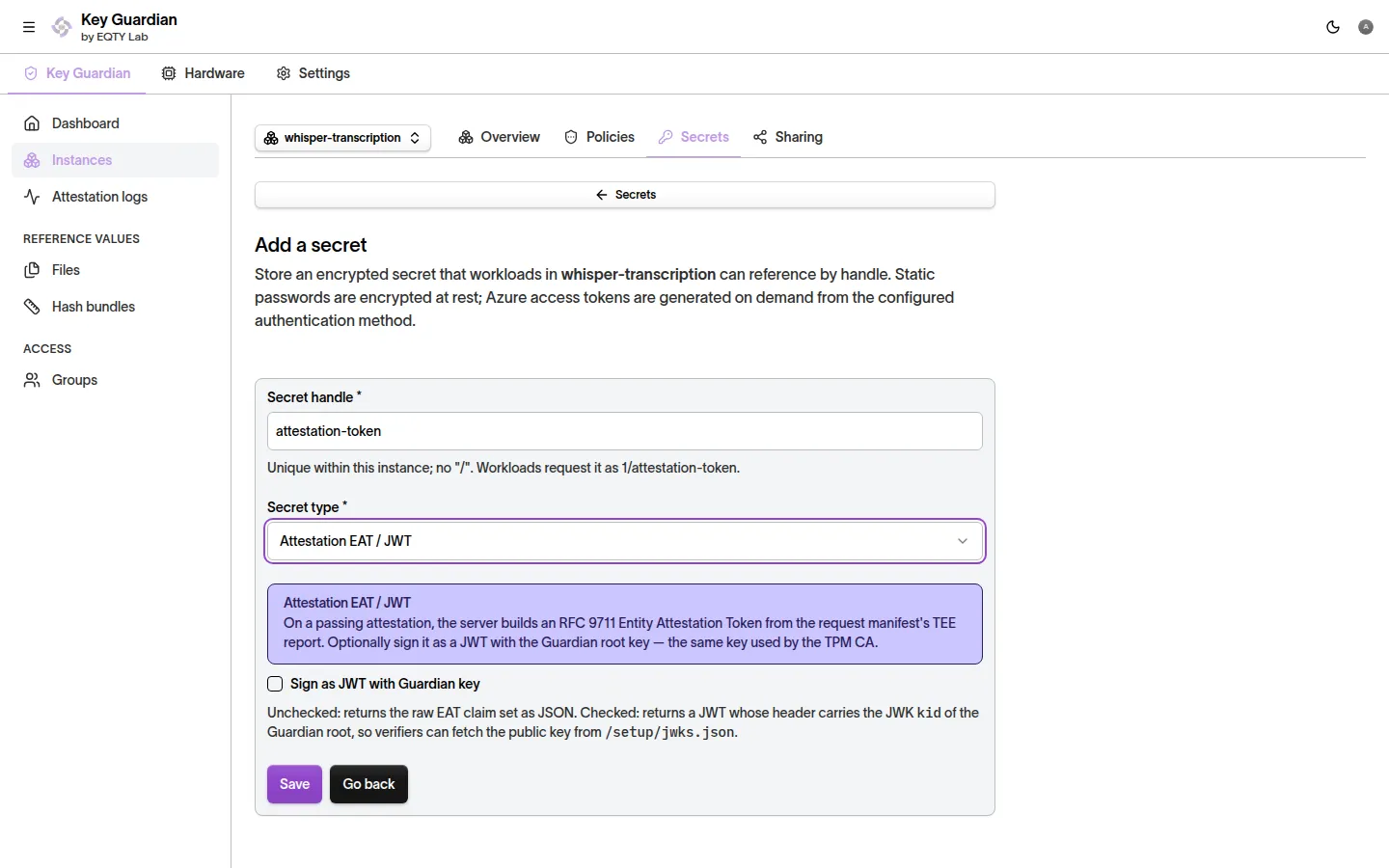
Passkey (WebAuthn). Paste the site’s PublicKeyCredentialCreationOptions (the JSON it passes to
navigator.credentials.create()). Key Guardian creates the credential and shows the response to
send back to the site. Later, the workload passes the site’s login challenge in the extra field of
/api/attest and gets an assertion.
Share an instance
The Sharing tab controls who can see and manage the instance in the console, not which workloads get its secrets. See Users and access.
Next
Have your workload request the secret.